
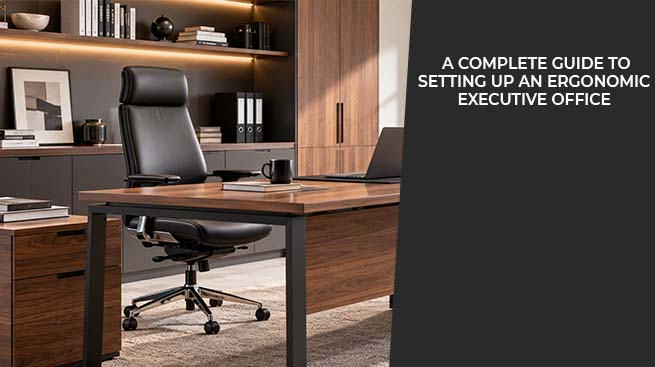
Your executive office should not only look good but also provide the opportunity to work for many hours on end without feeling stiff, tired or distracted due to the lack of comfort. Ergonomics is the study of creating workspaces according to human physical needs, and in the case of executives, this means finding the right balance between a comfortable, healthy and professional environment.
The following guide will take you through all the key aspects of the ergonomic executive office and help you create a space which will help your productivity rather than block it. View the complete collection of ergonomic office furniture at Furniture Castle.
Why Ergonomics Matters in an Executive Office
For executives, long stretches of time spent sitting at their desks without moving around are common, as back-to-back meetings and phone calls tend to take up most of the day. Poor ergonomic conditions lead not only to discomfort but also to such health concerns as back and neck pain, poor blood flow, eye strain, and tiredness, all of which influence the quality of decisions that have to be made and focus that is required.
Not addressing ergonomics has hidden costs associated with it. Minor problems that stem from poor posture and that become routine due to daily activities result in ongoing tension, frequent headaches, and back pain. From the performance standpoint, discomfort decreases concentration of attention, and when one's body is trying to make things better for itself, it does not allow focusing on negotiations or brainstorming ideas taking place.
Moreover, the design of the office reflects the company’s priorities. It becomes clear that its leaders value their employees' performance, health and well-being rather than their immediate productivity, whether the kind of work is performed in the office, whether it is individual or collaborative. The impression that a well-designed office leaves will influence the perception of the company by visitors.
Essential Elements of an Ergonomic Executive Office
Before getting into specifics, here's what actually matters for ergonomic setup, at a look:
|
Element |
Why It's Essential |
|
Executive desk |
The right height and legroom help you sit properly and reduce wrist strain. |
|
Sit-stand desk option |
Changing your sitting position helps reduce tiredness and improve blood flow. |
|
Ergonomic office chair |
Proper lumbar and arm support prevents back and shoulder strain |
|
File and display cabinets |
Reduces mess and unnecessary reaching or twisting |
|
Office end/coffee tables |
Keeps frequently used items within easy reach without desk mess |
|
Monitor and keyboard setup |
Correct positioning prevents neck, wrist, and eye strain |
|
Lighting |
Reduces eye strain and headaches during long work sessions |
|
Layout and spacing |
Supports natural movement and reduces repetitive strain |
However, these factors do not operate alone but together; a good chair combined with a desk of an incorrect height will still lead to poor posture. In the following sections, I analyse each element separately, but in practice, all of them should support each other.
Choosing the Right Executive Desk
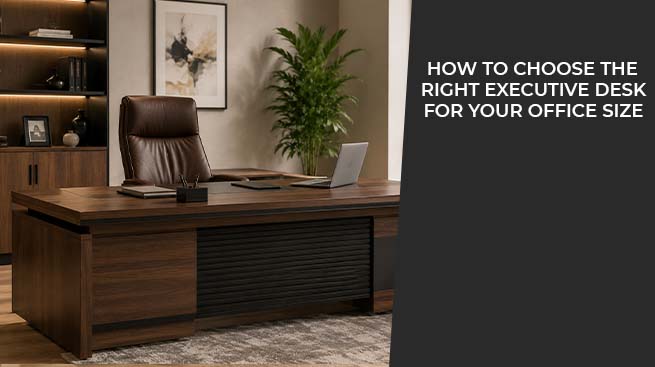
The desk is the main piece of furniture in a workspace. An executive desk should be the right size for both the room and the user. It should not be so large that you have to stretch to reach things, or so small that there isn’t enough space for a laptop, monitor, and paperwork.

Flinders Grand Executive Desk 2.8m – Walnut & Elegance Grey With LED Panel
Important factors of ergonomics:
- Height: The average desk is about 28-30 inches high, but the best height must allow keeping elbows at an angle of approximately 90 degrees during typing.
- Leg space: Sufficiently wide to move legs around and stretch them without bumping into any drawers and support columns.
- Surface depth: Long enough to keep a monitor at least 20 inches away from the eyes.
- Cable management: The built-in cables' arrangement keeps them on the ground and allows avoiding their cluttering and becoming a block while walking around it.
- Material and finish: Strong enough to provide stability during working (writing and typing) to prevent unnecessary tension in wrist and forearm muscles caused by the shaking of furniture.
It should also be considered that the desk must be appropriate for other activities than typing, such as signing some papers or spreading out the reports.
View all executive desks to compare dimensions and finishes. For more help in selecting the proper desk, read our article about how to select an executive desk and our desk height and size selection guide.
Why a Sit-Stand Desk Belongs in a Modern Executive Office
Sitting constantly for a prolonged period of time is the most common cause of discomfort at the workplace. The use of a sit-stand desk, either as the main or an additional desk, makes posture change easy while working without affecting the flow of work.

Manhattan Lifting Sit & Stand Executive Desk 2.7m – Golden Oak & Grey
Advantages of using a sit-stand desk:
- Reduces lower back tension caused by continuous sitting
- Increases circulation and energy during prolonged work
- Facilitates movement when talking on the phone or reading
- Gives options when conducting meetings, be it a seated one-to-one meeting or a standing meeting
- Can help reduce the afternoon tiredness caused by sitting for a long time.
In fact, the situation is easier for the executives than for ordinary workers, since the second one spends more time moving during the day and goes to colleagues' desks or the canteen, whereas an executive can sit for hours at the computer working on back-to-back video conferences. In addition, there is always an opportunity to combine a regular desk and a sit-stand one, using the first for meetings and placing the second nearby for making calls and writing something.
In other words, it doesn't matter whether you like the idea of replacing your desk or not; anyway, having a sit-stand desk will be convenient for you. Discover the collection of sit-stand desks that suit executives.
Selecting an Ergonomic Office Chair
While the desk forms the base, it’s the office chair that will determine whether working from that desk is a sustainable process. The ergonomic office chair must be designed to accommodate the natural curvature of the spine and fit the individual, and not vice versa.

Toorak High Back Executive Chair – PU Leather Finish
What to look for:
- A flexible lumbar support that fits the natural curve of the lower back
- An adjustable seat that allows the feet to remain on the floor while the legs form a 90-degree angle with the body
- Adjustable armrests help keep your shoulders in a proper position.
- Ventilated material to guarantee comfort throughout a prolonged sitting period
- Recline and lean tension adjustments that allow the chair to adapt without compromising the support
- Adjustable seat depth for supporting the lower back, whether the person’s height
However, it would be wise not to select for an office chair based only on its visual weight or leather material because it may be a dominating-looking piece but not adjustable enough to provide enough support for the spine. Evaluate a chair according to its performance during typing, reading, and leaning back while being on the phone.
An ergonomic office chair is considered one of the most important office items you can buy, as it will be in continuous use throughout your working day. For more information, view our office chairs collection or top picks for ergonomic office chairs.
Organizing Storage: Display & File Cabinets
Clutter creates the need for awkward stretching, twisting, and bending, which are all frequent causes of strain. Documents and materials that are accessed on a regular basis can be stored in display and filing cabinets that are kept within easy arm’s length of the desk.

Ebony File Cabinet 2.4m - Golden Oak & Grey
- Store frequently used documents nearby so you don’t need to twist.
- Access materials for client meetings from display cabinets, leaving the desk clear of clutter
- Place infrequently accessed documents at a distance from the desk; only store essential documents close to the desk
- Organise storage based on how often you use items, not just by category.
In addition to providing a good ergonomic effect, properly arranged storage systems guarantee a more peaceful atmosphere of work; a desk cluttered with scattered paper encourages not only poor posture but also eye strain. The cabinets combining open display shelves and enclosed storage confirm that your office is tidy enough for guests, and yet you have all working documents available. Look through our selection of bookcases & shelves for executive offices.
Layout, Lighting, and Supporting Furniture
Lighting: Natural light is perfect but needs to be placed in a way that does not cause shine on computer screens. The desk should be placed vertical to windows and not parallel to them so as to reduce brightness and silhouetting, where people doing video conferences appear to be under poor lighting. Use desk lighting for any task that requires you to focus on something close to your eyes. Avoid using bright lights from above since they can cause eye strain and headaches through the day.
Layout and flow: Guarantee there is enough space for moving between the desk, the chair, and any other meeting furniture without bumping into things. If the desk is located in an executive office, verify there is space between the desk and any office end table used for meetings. Generally, one metre of space around the desk is enough to pull a chair out and move around comfortably without a sidestep.
Furniture support: Office end tables and office coffee tables can enhance not only the aesthetics but also contribute to creating a secondary and more informal area for face-to-face discussions without the need for the formality of an executive desk, and they also eliminate the need to bend across the desk to grab a water glass, notebook or gadget.
The right positioning of end tables will guarantee that your posture remains correct all day long. Find out more about office end table and office coffee table collections, or see our guide on the best office coffee tables in Australia.
Office Workstation Zones: If your office has an additional workstation for an assistant or cooperative work, verify that it is also ergonomic because the principles which are used to make an executive main desk comfortable should be applied to every workstation. Please check out the workstation's collection.
Monitor, Keyboard, and Technology Ergonomics
A good furniture setup only forms half of a good ergonomic arrangement; the way the technology is placed on the furniture also counts. One of the major causes of strain in poorly arranged workstations is poor monitor and keyboard arrangement.
Arrangement of monitors:
- The top of the screen should be at or just below eye level to keep the neck in a neutral posture.
- The monitor should be at least 20 inches away from the eyes (approximately an arm's length).
- In case of dual monitors, the two monitors should be angled inward to avoid straining the neck through turning of the head.
- The monitor's brightness should be equal to the lighting of the room to avoid eye strain.
Placement of keyboard and mouse:
- Guarantee that the keyboard is placed close to where the arms can remain at the sides of the body instead of being out in front.
- Place the mouse and keyboard at the same level so that both your wrists remain straight
Management of cables and devices:
- Charge cables and other cords should be kept away from where your feet will be so that they keep walkways clear
- Keep the devices you use on a daily basis close by so that they won’t need to be stretched for.
Putting this into effect is usually a free process that only takes a few minutes, but it is often ignored, with there being perfect office furniture. Even with the best ergonomic chairs and desks, a person will end up straining their neck if the monitor is too low or placed too far to the side.
Common Ergonomic Mistakes in Executive Offices
Even the best office designs still tend to make some of the same errors over and over again. Spotting them could save a lot of built-up strain:
- Selecting an aesthetically pleasing chair that isn’t adjustable. The most eye-catching leather executive chair without a lumbar adjustment is always going to be beat out by a less visually attractive chair that fits the spine.
- Placing the monitor atop a collection of books or a makeshift base. It may take care of the issue of being too high, but it creates other problems, including shaking and not taking into account distance and angle.
- Failing to use the height-adjustment desk that’s purchased. An office desk with an adjustable height that isn’t adjusted doesn’t provide any more benefits than an ordinary office desk.
- Crowding the surface of the desk with decorations. The more the desk is filled up with items, the less there is of actual space for the keyboard, monitor, or paperwork.
- Forgetting about the client or guest seating arrangement. An ergonomic design that focuses only on the executive office chair ignores half the problem in a meeting space.
- Regular reassessments being overlooked. It is true that the body, roles and equipment will evolve, and what was perfect two years ago may not be suitable any more due to injuries or changes in technology.
Expert Assistance with Furniture Castle
A properly ergonomic executive office needs to achieve a perfect harmony of constructional form, wellness-oriented function, and professionalism in design. By choosing an appropriate desk size, providing sit-and-stand options, installing orthopaedic chairs, and placing your technology and lighting correctly, you can establish a workplace that guarantees high efficiency of decisions and good health at the same time.
Are you ready to turn your leadership office into a space of ergonomic comfort? Discover the full range of our executive products available at Furniture Castle Office Collection or on the Furniture Castle Official Website right now!
Frequently Asked Questions (FAQ)
What is the ideal height for an executive office desk?
Typically, executive desks are anywhere from 28 inches to 30 inches (approx. 72-75 cm) tall, which means that one can easily keep their arms bent at a 90-degree angle when typing on the desk.
Why should an executive incorporate a sit-stand desk?
The changing between the sitting and standing positions decreases lower back strain, improves blood flow, reduces afternoon tiredness, and maintains comfort for consecutive virtual conferences.
What features make an office chair truly ergonomic?
Important features would include flexible lumbar support, height adjustment to maintain feet flat on the floor, adjustable armrests and synchronised tilt control that works in harmony with your spine.
How far away should my computer monitor be placed?
Your monitor should be positioned at least 20 inches (an arm’s length) from your eyes, with the upper part of the screen being slightly below or at eye level.


Leave a comment
This site is protected by hCaptcha and the hCaptcha Privacy Policy and Terms of Service apply.